

About this app
In many homes, controlling the TV means dealing with more than one remote, different layouts, or devices that don’t always respond the same way. Universal TV Remote Control brings everything together, so managing your TV feels simple again.
This app lets you use your phone as a practical TV remote for daily viewing. From adjusting volume and switching channels to opening apps or changing inputs, common actions are always just a tap away.
📺 Control Different TVs from One Place:
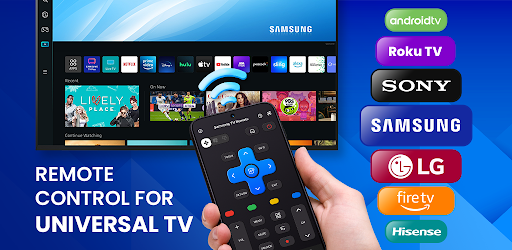
If your home uses TVs or streaming devices from different brands, this app helps keep control consistent. It supports a wide range of platforms, including Samsung, LG, Sony, Roku, TCL, Fire TV, Chromecast, Philips, Panasonic, Android TV, Xiaomi, Toshiba, and more.
Instead of learning a new remote for every device, you use the same familiar interface on your phone.
⚡ Flexible Connection That Fits Your Setup:
Depending on your TV model, the app connects through Wi-Fi, Bluetooth, or infrared (IR blaster required). This flexibility allows it to work with both modern smart TVs and older models that still rely on IR control.
Once connected, control is immediate and stable — no unnecessary steps or repeated setup.
🎮 Straightforward, Comfortable Control:
The interface is designed around everyday actions:
- Change channels and adjust volume quickly
- Power your TV on or off
- Switch inputs without digging through menus
You can also save favorite channels, set shortcuts, and organize controls in a way that feels natural for how you watch TV.
🖥️ More Than Basic Remote Functions:
For supported TVs and devices, Universal TV Remote Control offers additional smart features such as app navigation, screen mirroring, and device input management. Everything is handled from one place, reducing the need to switch between apps or remotes.
👨👩👧 Made for Real-World Use:
This app works especially well for:
- Homes with multiple TVs or mixed brands
- Families sharing one living space
- Travelers staying in hotels or rentals
- Anyone who prefers using their phone instead of a physical remote
📱 Getting Started Is Simple:
Step 1: Open the app and choose your TV brand
Step 2: Connect using Wi-Fi, Bluetooth, or IR (depending on your device)
Step 3: Start controlling your TV right away
Universal TV Remote Control is built to reduce friction, not add features you don’t need. It focuses on making everyday TV control easier, clearer, and more consistent — right from your phone.
👉 Download Universal TV Remote Control and manage your TV setup with less effort.
⚠️ Disclaimer: This app is not affiliated with or endorsed by any TV brand. All trademarks belong to their respective owners. For support, contact [email protected]
Downloads
1.2.3.4.5.6.7.8.9.0
LATEST
07/01/2024
Download
51.47 MB
1.2.3.4.5.6.7.8.9.0
LATEST07/01/2024
Supported Architectures
MD5 Checksum
054b837780ae510c482f87de75c87a99
Minimum SDK Version
22
Version Code
285
Upload Date
Jul 1, 2024, 7:45:09 PM
1.2.3.4.5.6.7.8.9.0
06/17/2024
Download
56.51 MB
1.2.3.4.5.6.7.8.9.0
06/17/2024
Supported Architectures
MD5 Checksum
bdf19dce7c342857436ccaf6c662da8a
Minimum SDK Version
22
Version Code
282
Upload Date
Jun 17, 2024, 1:51:29 AM
1.2.3.4.5.6.7.8.9.0
06/08/2024
Download
54.12 MB
1.2.3.4.5.6.7.8.9.0
06/08/2024
Supported Architectures
MD5 Checksum
c736fefc8e08833b8a71f4269d1e0744
Minimum SDK Version
22
Version Code
280
Upload Date
Jun 8, 2024, 1:51:41 AM
Similar Apps
Australian VPN Unlimited Proxy
5.0
everyone
Epson Spectrometer
5.0
everyone

Prospect Link
5.0
everyone
Nepal VPN - Get Nepal IP
5.0
everyone
Fast PDF Reader: Read PDF
5.0
everyone
Storage Manager Shortcut
5.0
everyone
Document Scanner - Scan to PDF
5.0
everyone
Master Management Connect
5.0
everyone
G-NetView Lite
5.0
everyone
Eco Weee
5.0
everyone