









About this app
Turn ideas into action with Taskade AI. Generate workflows, automate tasks, and mind map ideas. Chat with AI and get work done in a unified workspace, your second brain.
Introducing Taskade AI - your all-in-one AI chat and workflow assistant that supercharges your productivity! With just a few taps, get instant answers to complex questions, generate notes and outlines, organize your tasks and projects, and summarize long-form content. Best of all, it's completely free!
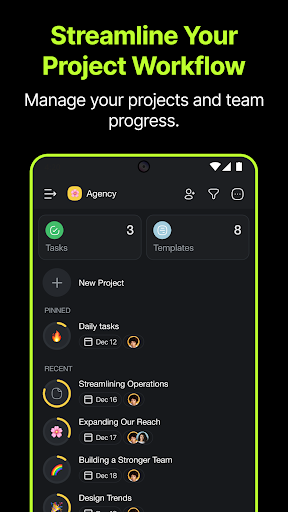
To start a new project, head to the Taskade AI Project Studio to craft complete project workflows from scratch effortlessly. Navigate to your workspace or folder, tap the New project button and select AI Project Studio, define the project you want to generate, and let the magic happen.
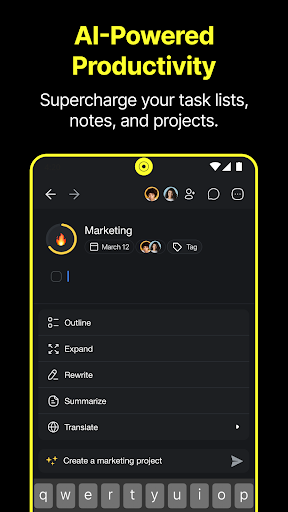
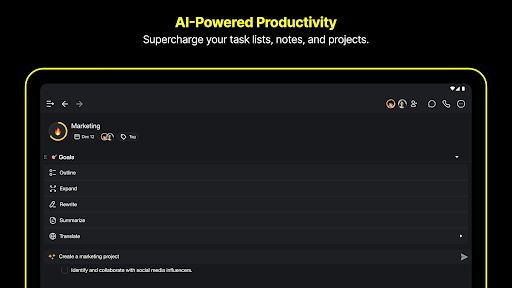
To access Taskade AI, open a project and start writing. Tap the robot icon in the keyboard toolbar to access AI-powered commands that elevate your productivity.
Exciting AI commands you can try:
● AI Chat (/ask): Get instant answers to questions based on AI's knowledge.
● AI Outline (/outline): Generate a structured hierarchy for your topic or question.
● AI Expand (/expand): Enrich your content with AI's help, making it more descriptive.
● AI Rewrite (/rewrite): Enhance legibility and clarity with AI's assistance.
● AI Summarize (/summarize): Turn lengthy content into a quick summary.
● Generate Subtasks (/subtask): Create subtasks for a parent task effortlessly.
● Brainstorm Ideas (/brainstorm): Discover and explore new, exciting ideas.
● Translate Text (/translate): Translate text into one of the available languages.
● Prioritize Tasks (/prioritize): Arrange tasks based on their importance.
● Research Agent (/research): Search the web for more information on a topic.
● SEO Agent (/SEO): Fetch the top search results for given keywords.
● Roundtable Agent (/roundtable): Draw expert insights from a team of AI agents.
● Spelling and Grammar Fix (/fix): Improve the structure and flow of documents.
In addition, you can now talk to your documents with Taskade AI File Chat.
Engage with your document files like never before. Upload, ask questions, extract summaries, and uncover insights—all within your project. Whether it's PDFs or CSVs, upload and Ask AI.
Taskade AI is powered by OpenAI's GPT-4 API and ChatGPT - perfect for upgrading your workflows. Create amazing content faster than ever. Download Taskade AI today and write smarter, not harder!
Looking to get things done faster and smarter? Need to track multiple tasks or projects? Taskade is the ultimate online to-do list for work. Boost productivity with smart to-do lists, outliner notes, and mind maps in one unified workspace. Taskade is simple, beautiful, and fun - the ideal to-do list manager for personal and work goals.
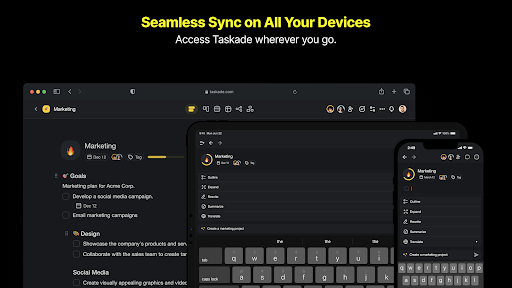
Use Taskade individually or in teams, at home, or work. Automatic syncing keeps data up-to-date on every device. Empower your team with Taskade!
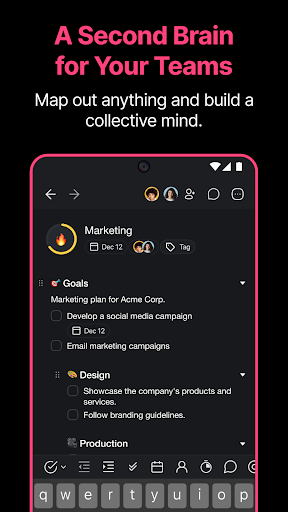
Collaborate with team members on the same page and edit projects in real-time. Chat, organize, and work together instantly. Supercharge team productivity with Taskade.
CAN I USE TASKADE WITH MY TEAM?
Yes, Taskade is designed to boost team productivity. Share a to-do list project or invite team members to a Workspace. Work together in real-time to manage projects and assign tasks.
WHAT IS A WORKSPACE?
A workspace is a collection of projects. Workspaces help keep task lists and notes organized. Make workspaces collaborative by inviting team members. Team members can edit projects inside and collaborate in real-time. They will also receive push notifications for updates.
CUSTOM TEMPLATES
Explore limitless creative ways to use Taskade by selecting a template. Design your own team productivity system and workflows.
GET IN TOUCH
We value your feedback. For any feedback, email us at [email protected] or visit https://taskade.com/contact
Visit us at https://taskade.com
Privacy Policy: http://taskade.com/privacy
Terms of Service: http://taskade.com/terms
Downloads
1.2.3.4.5.6.7.8.9.0
LATEST
09/29/2025
Download
127.71 MB
1.2.3.4.5.6.7.8.9.0
LATEST09/29/2025
Supported Architectures
MD5 Checksum
d0c49b7d808b5c667e235b1e11254ecc
Minimum SDK Version
26
Version Code
706
Upload Date
Sep 29, 2025, 5:18:58 AM
1.2.3.4.5.6.7.8.9.0
09/13/2025
Download
138.86 MB
1.2.3.4.5.6.7.8.9.0
09/13/2025
Supported Architectures
MD5 Checksum
55fd86be905f3e999a691daf53b5047c
Minimum SDK Version
26
Version Code
704
Upload Date
Sep 13, 2025, 2:38:42 PM
1.2.3.4.5.6.7.8.9.0
08/29/2025
Download
138.66 MB
1.2.3.4.5.6.7.8.9.0
08/29/2025
Supported Architectures
MD5 Checksum
0d0597272e99b6158a17fc50cb761fce
Minimum SDK Version
26
Version Code
702
Upload Date
Aug 29, 2025, 5:59:54 PM
1.2.3.4.5.6.7.8.9.0
08/07/2025
Download
138.52 MB
1.2.3.4.5.6.7.8.9.0
08/07/2025
Supported Architectures
MD5 Checksum
d77c33dfba208ed7b8bac53ee7ad9a23
Minimum SDK Version
26
Version Code
700
Upload Date
Aug 7, 2025, 5:25:37 PM
1.2.3.4.5.6.7.8.9.0
08/01/2025
Download
136.08 MB
1.2.3.4.5.6.7.8.9.0
08/01/2025
Supported Architectures
MD5 Checksum
016744b3b10b3c62d3b4338599a24372
Minimum SDK Version
26
Version Code
698
Upload Date
Aug 1, 2025, 8:30:30 AM
1.2.3.4.5.6.7.8.9.0
07/11/2025
Download
135.47 MB
1.2.3.4.5.6.7.8.9.0
07/11/2025
Supported Architectures
MD5 Checksum
6a7d824c8f68ab8d119b2b1b60b70311
Minimum SDK Version
26
Version Code
695
Upload Date
Jul 11, 2025, 6:07:24 PM
Similar Apps

Sociabble
5.0
everyone

Dropbox Dash
5.0
everyone

Zip Pop
5.0
everyone

AI Chatbot: Assistant Chat Bot
5.0
everyone

ClayLab
5.0
everyone

Event's Security Committee
5.0
everyone

Vimar Products
5.0
everyone
Simple Tasks & Notes
5.0
everyone

Habitodo: lists, habits & todo
5.0
everyone

ADERP | ADGov
5.0
everyone